Clinical Analytics
Insight into clinical activity and benchmarks, clinical FTE and its adjustments, and other clinical care metrics. For more information on the Clinical Analytics tools, look at the Business Glossary and watch the Clinical Analytics how-to videos.
Applications and Dashboards
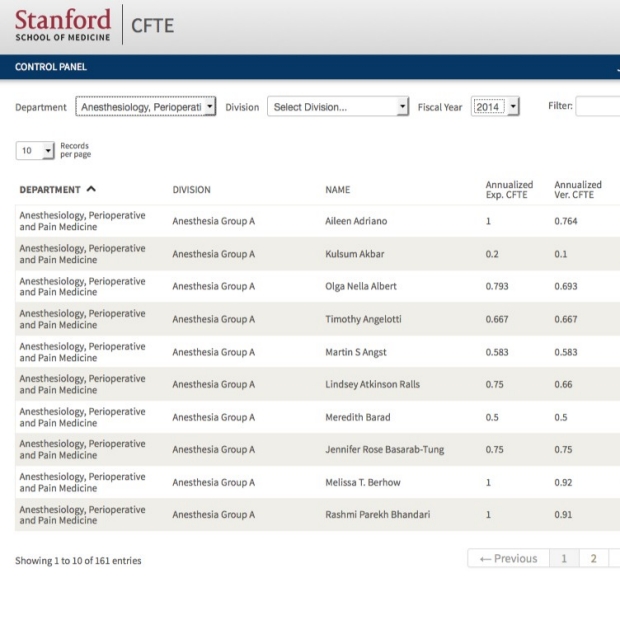
CFTE Adjustment Application
Audience: Clinical DFAs and departmental analysts
Allows users to adjust clinical FTE (CFTE) for their faculty.
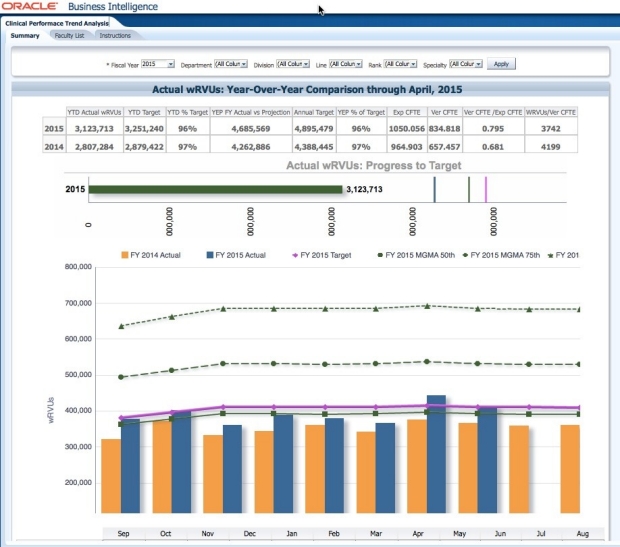
Clinical Performance Trend Analysis Dashboard
Audience: Dean's office, clinical DFAs, and departmental analysts
Year over year trends versus targets and MGMA benchmarks.
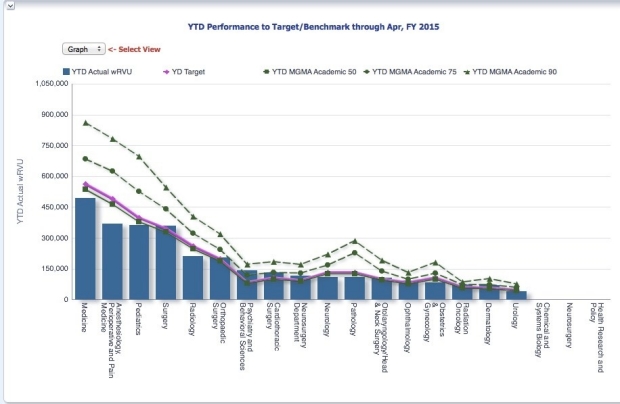
Progress vs. Target wRVU Dashboard
Audience: Dean's office, clinical DFAs, and departmental analysts
Monthly and FYTD Clinical Productivity vs. department-specified targets and benchmarks.
Clinical Target Setting Application
Audience: Clinical DFAs and departmental analysts
Allows users to set annual wRVU targets for their faculty.
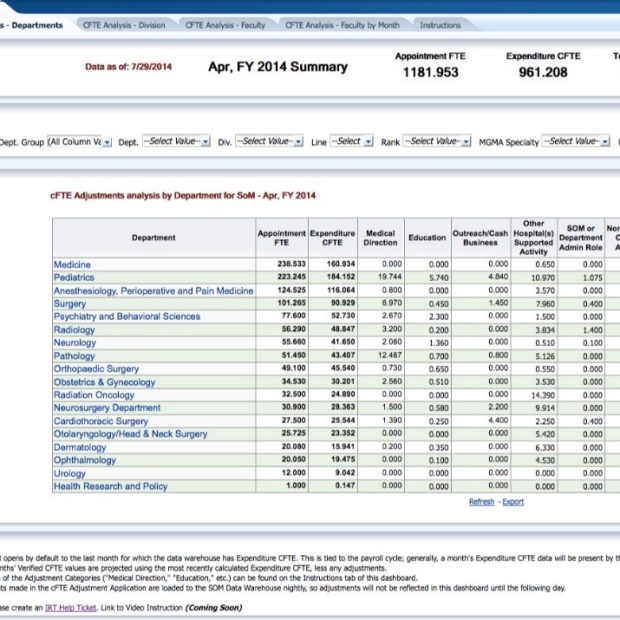
CFTE Analysis Dashboard
Audience: Dean's office, clinical DFAs, and departmental analysts
Analysis of CFTE at the Department, Division and individual level.
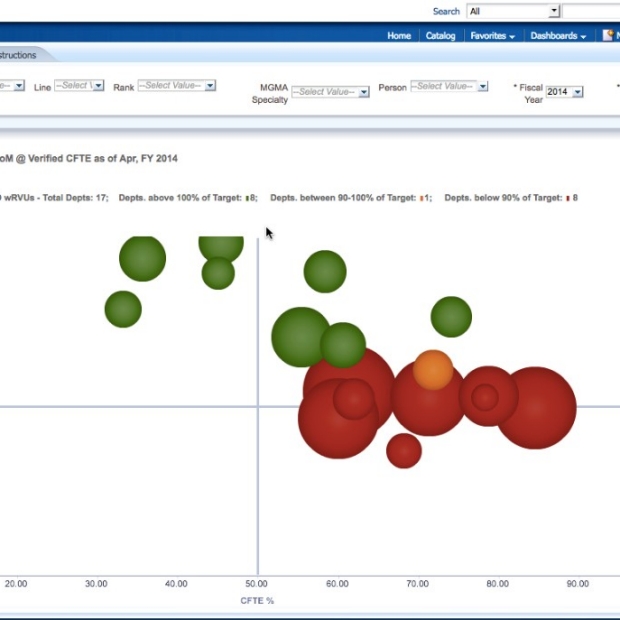
Performance to Target by CFTE Range Dashboard
Audience: Dean's office, clinical DFAs, and departmental analysts
Trends and outliers in FYTD wRVU production, vs. department specifiied targets and MGMA productivity benchmarks, by CFTE percentage.